Why do I need a risk assessment? It’s the first thing HIPAA asks of you — and the first thing investigators check.
Nobody taught you this in school. HIPAA’s Security Rule starts with one requirement: a written, dated look at what could go wrong with the patient information your practice holds — what you looked at, what you found, what you’re doing about it. It’s the first item on the list, and the specific gap federal enforcement has focused on since 2024. It isn’t one-and-done either; it’s meant to reflect your practice as it actually is, so it gets revisited when things change — a new system, a new vendor, a new office. HIPAAPath walks you through it in plain language, one question at a time, and ends with the dated record. Your answers stay in your browser, not on our servers.
Free: do one chapter at a time, save as you go, and the manual is yours to keep. Insurance-Ready Summary: one PDF that shows the work behind your answers — for a broker, an auditor, or a client who asks.
Already have a saved file? Restore your progress →
What insurance companies actually want.
Carry — or shopping for — cyber-liability or malpractice coverage? This part is for you. We read five real cyber-insurance applications — including two forms our own broker sent us. Different companies, different wording — but every question they ask falls into the same eight topics. We’ve gone through the applications and matched each question to where HIPAAPath already has your answer. Here’s how they line up. No policy like that yet? These same eight answers still build the HIPAA Security Manual you keep for an audit — and they’re ready the day you do shop for coverage.
Coverage through a malpractice carrier like MedPro or The Doctors Company? Their cyber questionnaires follow the same pattern — the same eight topics below.
The free chapters produce your HIPAA Security Manual, laid out section by section the way an auditor or attorney reads. The $99 Insurance-Ready Summary takes the same answers and arranges them into the eight-topic layout insurance companies score. The manual is the one you keep all year; the summary is the one you hand over at renewal.
Free for the chapters. $99 for the renewal PDF. $299/yr for the long haul.
There are three places you can stop. The chapters and your HIPAA Security Manual are free either way — no card needed; you sign in only to download. The paid tiers add things you only need at certain moments.
The free version
$0Walk the chapters at your own pace — no account needed to work. Save as you go. Your HIPAA Security Manual downloads to your computer when you finish — yours forever; you sign in once at download.
- ✓Full 17-section manual, in the order the HIPAA rule uses
- ✓Auto-fill within the document — answer once, use everywhere
- ✓Save as you go
- ✓Adopt-and-edit policy template (what happens if someone breaks the rules)
- ✓Your manual, downloaded to your computer, yours forever
- ✓Editable in your browser for 90 days from your last save — download a backup file any time
Insurance-Ready Summary
$99 — one-timeInsurance renewal coming up? This summary takes the work you’ve already done in the chapters and lays it out in the eight-topic format insurance companies score — built from five real cyber-insurance applications, including forms our own broker sent us. One PDF to hand your broker.
- ✓The eight topics insurance companies ask about, in the order they ask
- ✓Two answer styles: a written paragraph for applications that want an essay, and Yes/No-with-details for the ones with checkboxes
- ✓Appendix: a readiness checklist for the proposed 2026 rule update, plus how it all maps to the federal risk guide
- ✓Regenerate it any time while your answers are still editable — 90 days from your last save (about how long renewal prep takes). Download a backup file any time, or upgrade to Founding Member to keep editing for good.
Founding Member
$299 / yrFor practices that treat compliance as something ongoing, not a one-time task. Your answers stay editable across renewal cycles — no 90-day clock. Includes the Insurance-Ready Summary, 13 ready-to-edit policies in your manual, the quarterly brief — all of HIPAAPath as it stands today, plus every improvement we make to it while you’re a member.
- ✓Your answers stay editable for good — no 90-day clock; come back each renewal
- ✓Regenerate your Insurance-Ready Summary any time
- ✓13 ready-to-edit policies in your manual (staff discipline, what could go wrong, your backup plan, training, and more)
- ✓Quarterly brief — opt-in is live in your account
- ✓All of HIPAAPath, including improvements as we ship them
A real audit-ready manual.
Not a checklist.
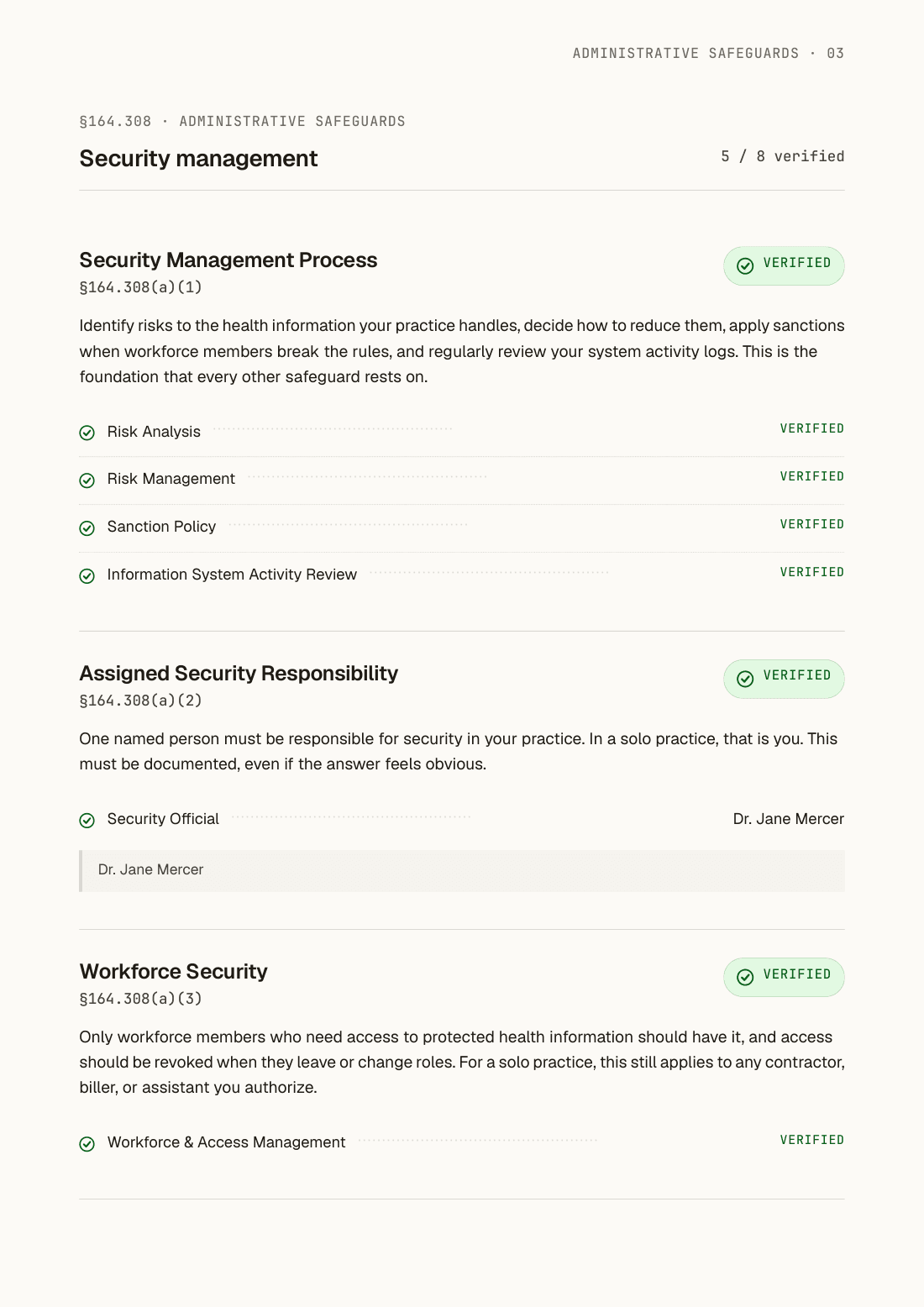
Nine chapters of plain questions produce a 17-section manual, laid out in the same order as the HIPAA Security Rule — the order an auditor reads.
Other tools give you a checklist or a blank template. We give you the document.
Answer once. Use everywhere.
Tell us about your practice in Chapter 1. We fill those answers in wherever they come up again — the report on what could go wrong, your list of devices, your safeguards.
Save as you go, one chapter at a time — stop and pick up exactly where you left off.
Your answers save in your browser.
Your practice details, device serial numbers, and what you find along the way all save in your browser’s own storage, not on our servers. If you like to check things yourself, you can see it right in your browser’s developer tools (under Application → IndexedDB) — there’s nothing on our end to find.
When you finish, your manual downloads to your computer. Signing in (when you choose to) only carries your email — never your answers.
For the long haul.
Free covers the full manual you can finish today. Founding Member is for practices that treat compliance as something ongoing, not a one-time task — these are the tools we’re shipping while you’re a member.
Quarterly compliance brief.
Plain-English updates on what’s changing in the rules and what the government flags after real privacy breaches — about four times a year. Opt-in is live in your account today; the first issue ships when we send it.
Adopt-and-edit policy templates.
Thirteen ready-to-edit policies, built on the federal HIPAA guidance — what to do if someone breaks the rules, what could go wrong, your backup plan, what to do after an incident, vendor agreements, staff training, and more — included with Founding Member. The free manual lists what each one covers, so you can see what you’d be getting.
Built for auditors to read.
Questions practices actually ask.
Start the first chapter. Stop when you want.
You don’t have to know any of this going in — that’s the point. Your work saves as you go, right in your browser. No card to enter, nothing to install — you sign in only when you’re ready to download your manual.